
Choose your friend sharing
Decide which dates and details a friend can see. Change the scope or stop sharing when you want.
FOR PILOTS AND CABIN CREW · ANDROID AVAILABLE
iOS & Android
iPhone · iPad · iPhone Duo · Android phones & tablets See the device layouts ↓
CrewNexo is now available on Google Play. The iOS version is coming soon.
Your duty plan, your crew and your time off — together. Share days with friends. Chat with colleagues on your flight. Find time for coffee, food or a walk on a layover.
You choose what to share with friends and which notifications you receive. CrewNexo also connects users on the same flight. See below how that works.
Our first pilot project is for Eurowings crews. CrewNexo is an independent SilkIdea project, not an official airline app.
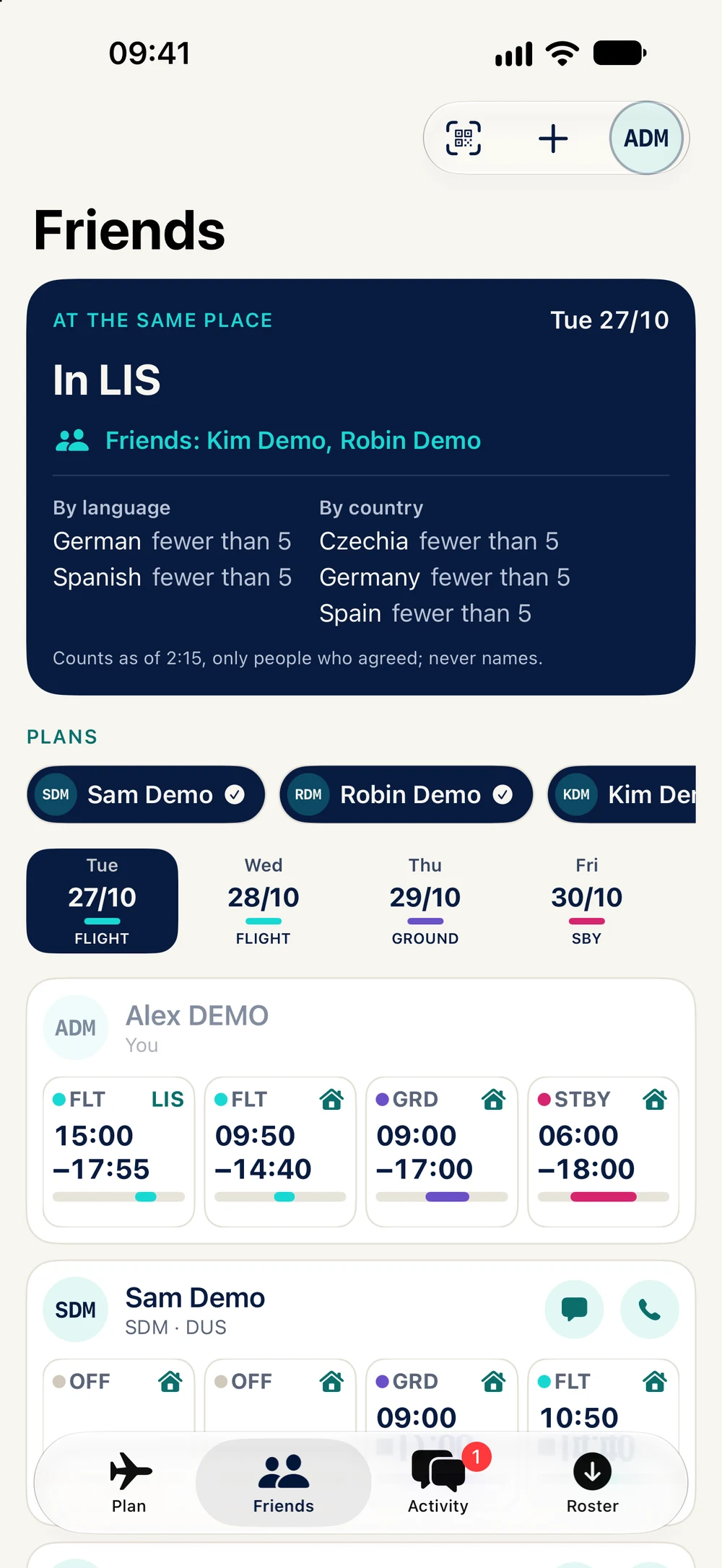
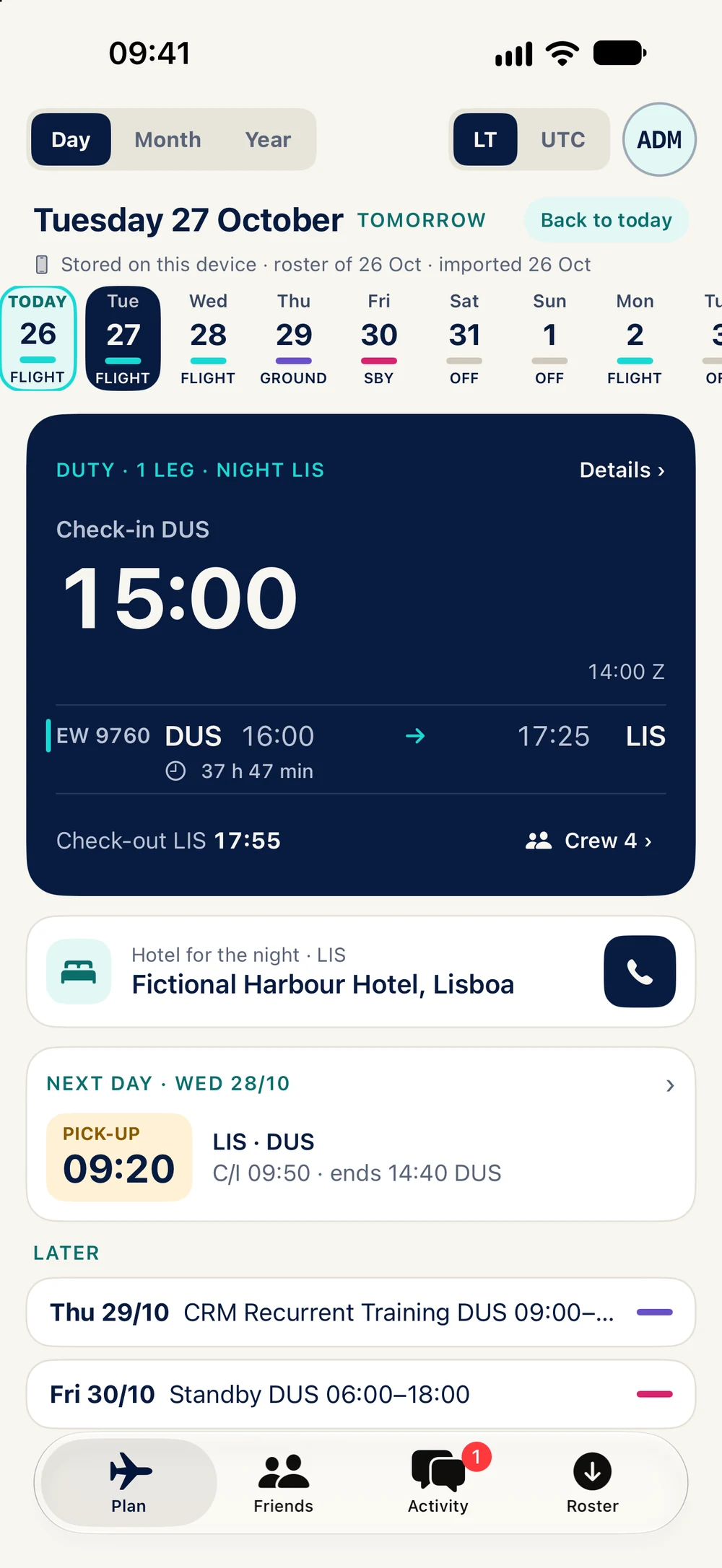
iOS and Android previews with fictional people and demo rosters. App screens are in English.
CREW LIFE TOGETHER
You do not need a colleague’s phone number to make a plan. Use crew chats, groups and meetups to stay in touch before a flight or during a layover.
Open the crew chat for your duty day. Find colleagues who use CrewNexo on the same flight. Contact options depend on the relationship and their settings.
Find friends who share their stay with you. Create a meetup for coffee, food, sport or a walk, and choose its place, time and audience.
Use a group or meetup chat to agree on the details. Share photos, files or a meeting point. Group members can see the people taking part.
I would use this ↗MEET CREWNEXO
Import a supported NetLine/Crew PDF or download your roster through Flybase. See your day, month and year, compare shared plans and open your crew chats. Arrange meetups, discuss duty offers and send jumpseat requests.
Use CrewNexo on iPhone, iPad, iPhone Duo, or an Android phone or tablet. On larger displays, see your plan and duty details side by side. iPhone Duo has layouts for both the outer and open inner display.
Import a PDF or use the built-in Flybase sign-in. The newest roster for a month takes priority. Saved plans remain available offline.
Check pickup, hotel, crew and duty details. View month and year totals, days by country, weather and calendar export. These are aids: your airline’s current information remains the source to check.
Use iPhone, iPad, iPhone Duo, or an Android phone or tablet. With roster upload enabled, supported plan data syncs between your devices and supports sharing. Downloads and changes need a connection.
Download CrewNexo for Android from Google Play. The iOS release is coming soon; we will add the App Store link here when it is available. Features can differ by platform.
Check your flights, hotel and next duty.
iOS and Android previews with fictional people and demo rosters. App screens are in English.
Tap to open all 22 screens
FEATURES & NEXT STEPS
Explore the features in CrewNexo. Items marked Planned are future work. Availability can vary by platform.
CONTACT THE CREW
Choose a flight and send a jumpseat request. Track replies and contact the crew through CrewNexo.
Requests depend on flight and crew availability in the app. Acceptance in CrewNexo does not book a seat or replace the airline’s permission and procedures.
FIND A COLLEAGUE
Offer a duty, ask for one or look for a swap. Discuss a possible match and prepare a request for crew control.
The beta can show an indicative FTL check using available plan data. Missing data or a positive result cannot prove that a swap is legal. Crew control and the airline must approve it.
FIND TIME TOGETHER
Invite a colleague in the app or with a QR code. Choose the dates and level of detail to share, then compare plans and stays.
You can change or stop a friend’s access. Your friend-sharing choices are separate from same-flight discovery: other CrewNexo users on your flight can see your participation and indicative FDP when the relevant roster upload is enabled.
COFFEE, FOOD, SPORT OR A WALK
Create a group or meetup. Choose a time, station or meeting point, who can find it and how people join. Keep the conversation in one place.
Friends, groups and meetups have their own sharing and notification settings. These are not anonymous conversations: participants can see relevant profile and membership information.
A NEXT STEP
We want to add more personal notes and reminders around a duty, beyond the current plan and live updates.
This is future work. Sleep and meal suggestions are ideas for later, not a feature of the current beta. Keep your usual alarm and check your airline’s schedule.
IPHONE, IPAD AND ANDROID
Read saved plans offline and use supported sharing features across your devices. Queued changes and messages wait for a connection.
Roster upload is used for server-based sharing and sync. The service can process supported roster data; your full plan is not simply kept only on your phone. A separate device-only mode is future work.
A QUICK LOOK AT YOUR DAY
See the current or next duty from a widget. iOS has Live Activities; Android has a duty notification. Tablet layouts give your plan and chats more space.
The available widget and lock-screen options depend on your device. Background restrictions, connectivity and battery settings can delay updates. Keep your normal checks and backup alarms.
METAR WITH YOUR PLAN
Open the latest available METAR for an airport in your plan. Check the report time and use a saved copy when offline.
A saved report may be old. Weather in CrewNexo is for reference and does not replace approved weather sources or your flight briefing.
STAY IN TOUCH
Use one-to-one and crew chats, group conversations and voice calls. Send photos, videos, files or a meeting point when supported by your test build.
Calls depend on connection, permissions and availability. Chat content is protected in storage but is not currently end-to-end encrypted. A hidden or locked chat is not the same as E2E encryption; E2E is planned.
FREE CORE · PLUS PLANNED
The roster and core communication features are designed to stay free. Plus supports CrewNexo, removes Plus reminders and adds optional personalisation. Planned prices: €2.49/month, €19.99/year or €69.99 once for lifetime Plus. “Lifetime” means for as long as CrewNexo operates. These are planned prices; availability, local price, renewal and any trial terms are shown in the store checkout before purchase.
Pilots and cabin crew worldwide. The current pilot project supports Eurowings. Want your airline included? Use the airline request form below. CrewNexo is made by Jan Janik / SilkIdea and is not an official airline app.
No. Shared plans and presence depend on the relevant settings. Meetups have their own audience. Same-flight discovery is separate and can show CrewNexo participation and indicative FDP to colleagues on the same flight.
Yes — CrewNexo for Android is available on Google Play. Use the download button on this page. The iOS version is coming soon. You can request access to early test builds below.
Not currently. Stored chat content is encrypted, but the service can process it. Hidden chats and the app lock protect access on your device; they do not make chats E2E encrypted. E2E is planned.
No. Always check the airline’s current systems and instructions. Duty times, FTL calculations, weather and country summaries are reference tools. CrewNexo cannot approve a duty, swap, jumpseat or operational decision.
E2E chat encryption, a separate device-only plan mode and more personal reminders are future work. Other-airline support also needs format and workflow checks. The beta and this roadmap will change as we learn from testers.
HELP TEST FUTURE BUILDS
Android is available on Google Play. If you would like to test early builds on iOS or Android, choose your phone and leave the email for a beta invitation.
This registers your interest. Places and builds may be limited, so access is not immediate or guaranteed. You can also leave feedback without joining the beta.
OTHER AIRLINES
We are starting with Eurowings and want to bring CrewNexo to more airlines. Tell us which airline you work for and what would help your crew. We will use your email to reply.
YOUR FEEDBACK
Tell us what you like, what is missing and what you would change. Feedback from pilots and cabin crew is equally welcome.
You can send more than one comment and return later to add another. We keep every comment. Only your latest rating from this browser counts.

PRIVACY & TERMS
Read the app’s legal documents and find out how we use information from these website forms.